






FAQ
What are the photo requirements for a Canada visa?
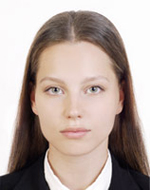
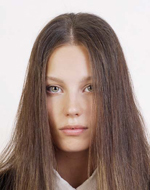
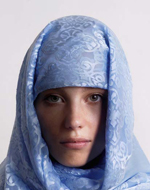
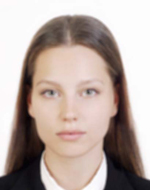
The photo must be 35x45mm (35mm wide x 45mm high), taken within the last 6 months, with a white or light-colored plain background. You must face forward with a neutral expression, eyes open and clearly visible. No hats or head coverings unless for religious reasons.
What are the photo requirements for a PR card?
PR card photos must be 50x70mm (50mm wide x 70mm high) with a white or light-colored background. The same composition rules apply: front-facing, neutral expression, eyes open, taken within the last 6 months.
What is the difference between visa and PR card photos?
Visa, study permit, and work permit photos are 35x45mm, while PR card and citizenship photos are 50x70mm. Both require a white or light-colored background, front-facing pose, and neutral expression.
Can I wear glasses in my Canada application photo?
No. Glasses are not permitted in IRCC application photos. Please remove glasses before taking your photo. If you cannot remove them for medical reasons, include a signed doctor's statement.
What background color is required?
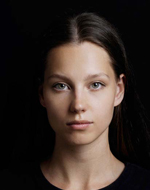
A white or light-colored plain background is required. This app helps you take a photo against a white or light-coloured background. Photos with colored, patterned, or dark backgrounds will be rejected.
What photos are commonly rejected?
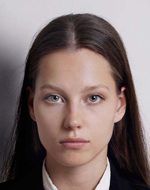
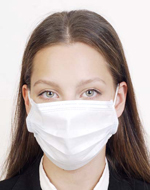
Common rejection reasons: wrong dimensions, face off-center or wrong size, shadows on face or background, glasses, hair covering eyes, dark background, blurry image, unnatural expression, head tilted, or excessive digital retouching.
Does this app guarantee my photo will be accepted?
No. This app helps you create a photo that meets published IRCC specifications, but final acceptance is determined by IRCC. Requirements may also change, so always check the latest official guidance at canada.ca.
Are my photos uploaded to a server?
No. All photo processing, face detection, and JPEG export happen entirely on your iPhone. Only App Store billing uses the network, and it never includes your photo data.
How do I print the photos?
The app generates an L-size print sheet containing your photos. Save it to your photo library and print at a photo lab, convenience store, or home printer. Use photo paper at actual size with no scaling.
What about children's application photos?
The same requirements apply to children: white or light background, facing forward, eyes open, no glasses. For infants, lay the child on a white sheet and photograph from above.
Create your Canada application photo now
Capture and preview for free. Pay only when you save.
Download on the App Store (free)Need help?
Contact us about usage, exports, purchases, or website information.
✉️ Open contact form